Complete Access Request Logs
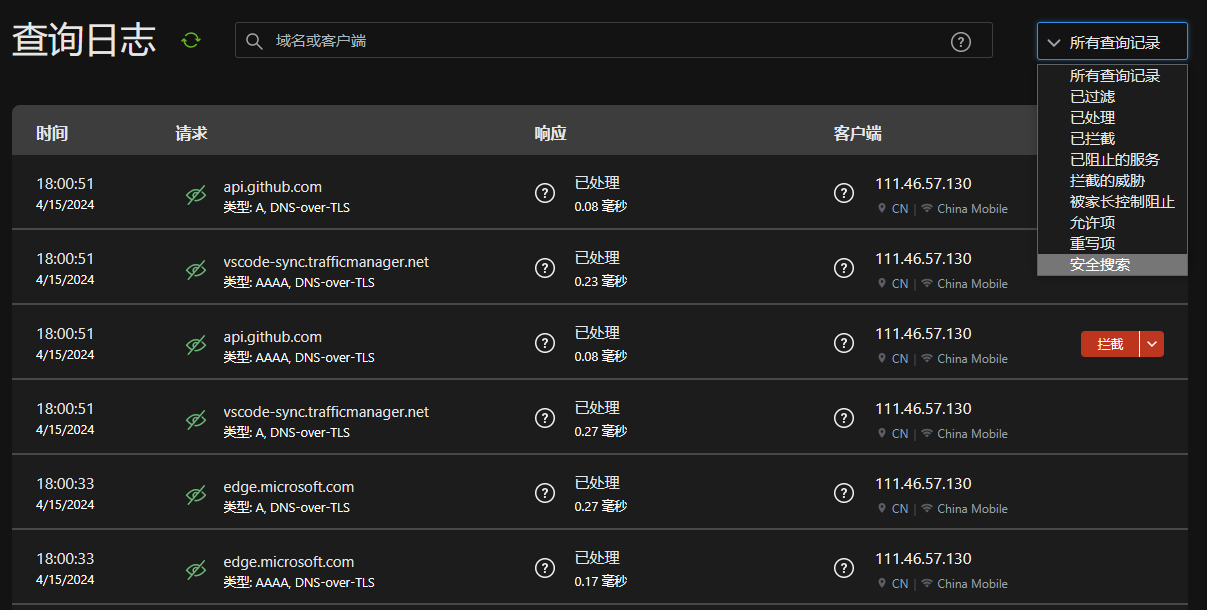
Access request logs provide the following detailed information:
- Time: The specific time when the request occurred
- Client: The IP address of the device initiating the request
- Request Target: The domain name or IP address being accessed
- Response Status: The processing result of the request
- Filter Rule: The triggered filter rule (if any)
You can use the search box to filter logs by domain name, IP, or rule name. Logs are retained for 3 days by default.
Top Requested Domains
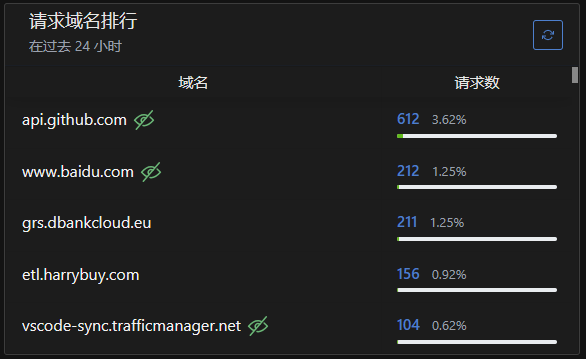
Domain access statistics display:
- Most frequently accessed domains
- Request count per domain
- Generated upstream/downstream traffic
- Last access time
Supports sorting by request count or traffic volume to help identify high-frequency accessed websites.
Top Blocked Domains
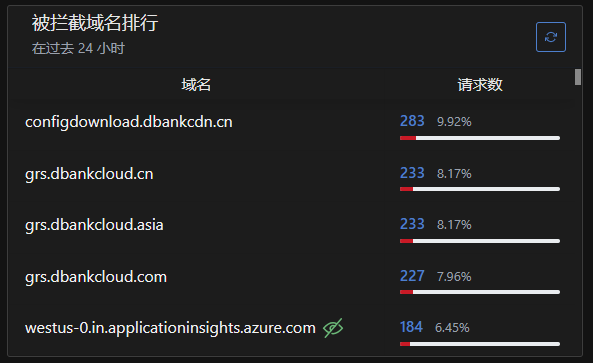
Blocking statistics show:
- List of blocked domains
- Block count statistics
- Triggered filter rules
- Last blocking time
You can directly perform in the list:
- Add mistakenly blocked domains to whitelist
- View specific rules causing blocks
- Export statistical data for analysis