Introducing Custom Client Name Feature
NullPrivate now offers custom client naming, allowing users to intuitively identify and manage DNS configurations for different devices, significantly improving management experience.
Categories:
Feature Overview
To enhance user experience, NullPrivate now supports custom client naming. This feature enables you to set unique identifiers for different devices, making device management more intuitive and convenient.
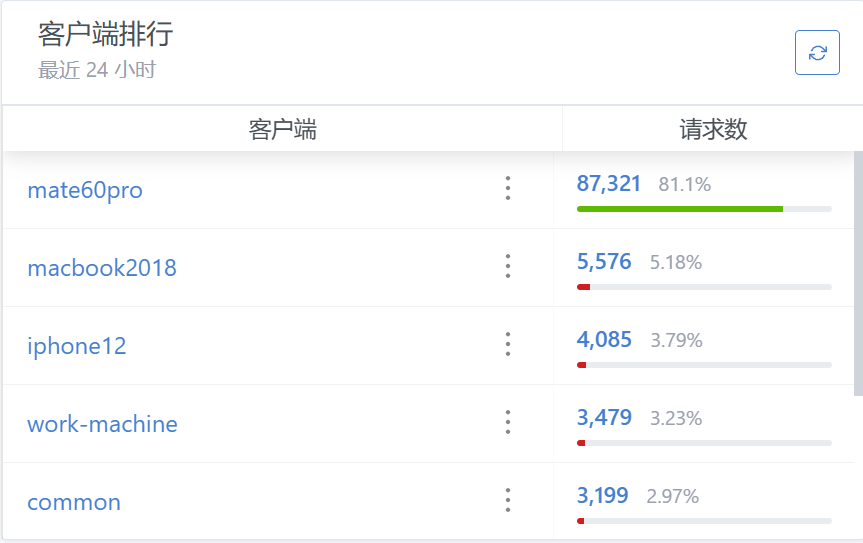
Configuration Guide
Configuration methods vary slightly depending on device type:
Android Devices
Simply add a custom prefix before the domain name using this format:
{device-name}.{original-domain}
Example: xiaomi-15pro.xxxxxxxx.nullprivate.com
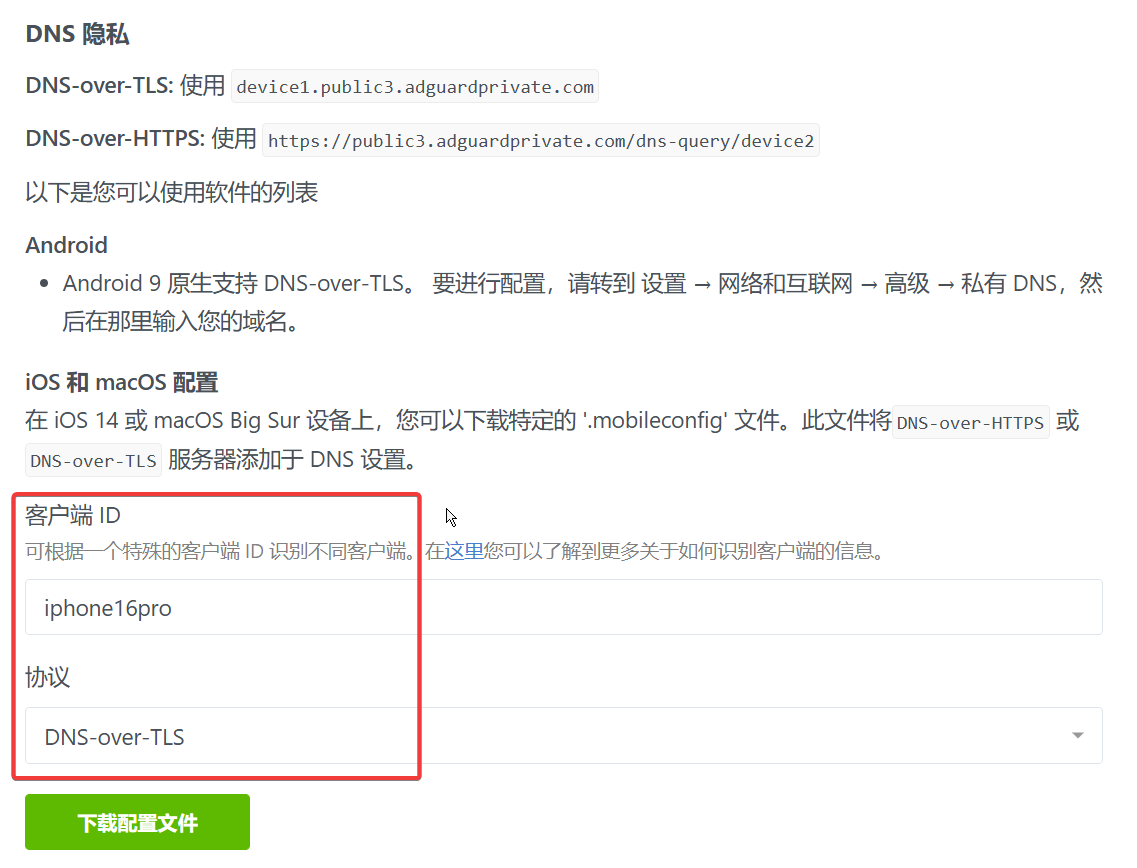
iOS Devices
- Navigate to the “Setup Guide” page
- Enter your custom name in the “Client ID” field
- Download and apply the new configuration profile
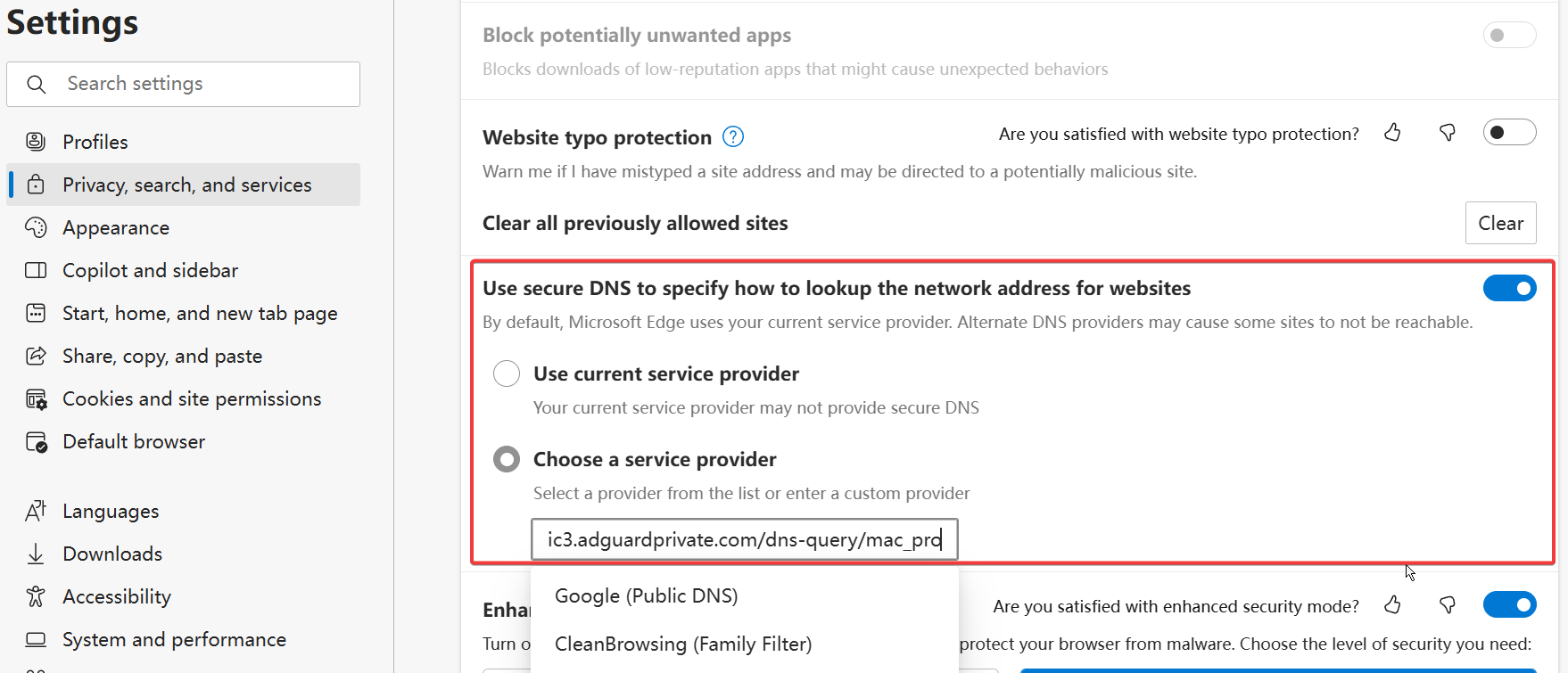
Browser Configuration (DoH)
Add custom identifiers after the original DoH address:
Original format:
https://xxxxxxxx.nullprivate.com/dns-query
New format:
https://xxxxxxxx.nullprivate.com/dns-query/{device-identifier}
Example: https://xxxxxxxx.nullprivate.com/dns-query/pc1-browser
Usage Recommendations
- Use meaningful identifiers like device model, location, or purpose
- Avoid special characters - use letters, numbers, and hyphens
- Maintain consistent naming conventions for easier management
Important Notes
- Custom names only affect display and won’t impact service performance
- Configuration must be reapplied after name changes take effect
- We recommend saving device configuration details for future reference