Using Custom Device Names
Customize device identification names: distinguish endpoints via extended domain names/URL paths, accurately view “Client Rankings” and logs, and facilitate rule and schedule management.
Categories:
If you directly use the service’s listening address, such as:
tls://xxxxxxxx.adguardprivate.comhttps://xxxxxxxx.adguardprivate.com/dns-query
The IPs seen in the Client Rankings in the backend are the cluster IPs of the load balancer, which are meaningless to users and cannot distinguish between different devices.
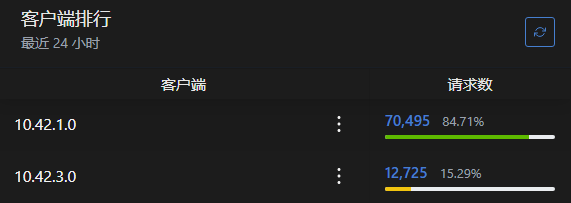
You can identify different devices by using extended domain names and adding URL paths.
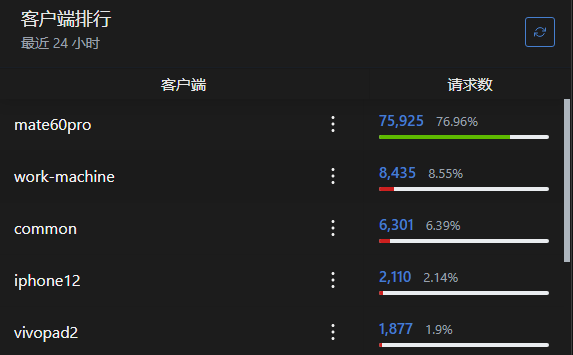
- For DoT, use the extended domain name method, e.g.,
tls://device1.xxxxxxxx.adguardprivate.com - For DoH, use the added URL path method, e.g.,
https://xxxxxxxx.adguardprivate.com/dns-query/device2
Note:
- Android devices do not require entering the protocol prefix
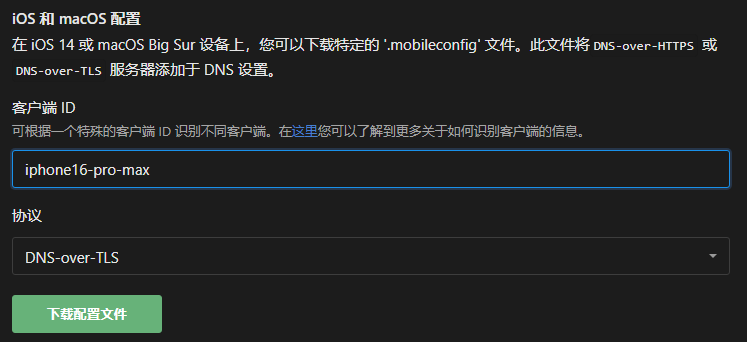
tls://during setup; simply inputdevice1.xxxxxxxx.adguardprivate.com - Apple devices follow setup instructions by entering a client ID and downloading a configuration file for setup, without manual input
All devices under personal service share the service’s query limit of
30requests per second.